
My Schoolguru Teacher App
Teaching made simpler.
Timetable, classwork, homework, leave and more, on your phone. Less paperwork, more time for teaching.
Why use it
Less paperwork. More time for teaching.
Plan
Timetable, my classes, class calendar and circulars. Know your day before it starts.
Teach & record
Classwork entry, homework, defaulters and results, with no paper registers.
Grow
Attendance, leave, tasks, trainings and roles. Your record, always up to date.
My day
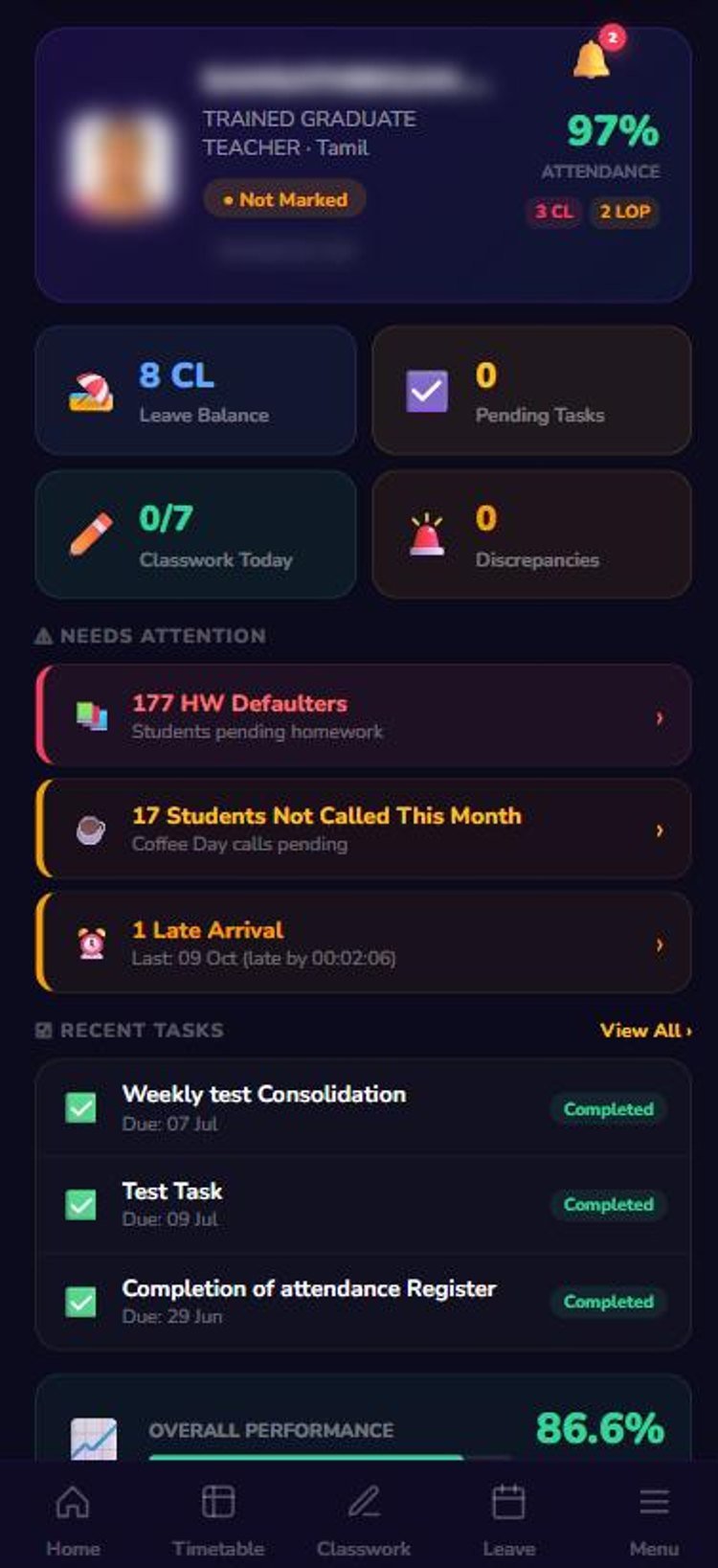
Your whole day on one screen
Open the app and see exactly what needs your attention.
- Today at a glanceAttendance %, leave balance, pending tasks, classwork for today.
- Needs attentionHomework defaulters, pending Coffee Day calls, late arrivals.
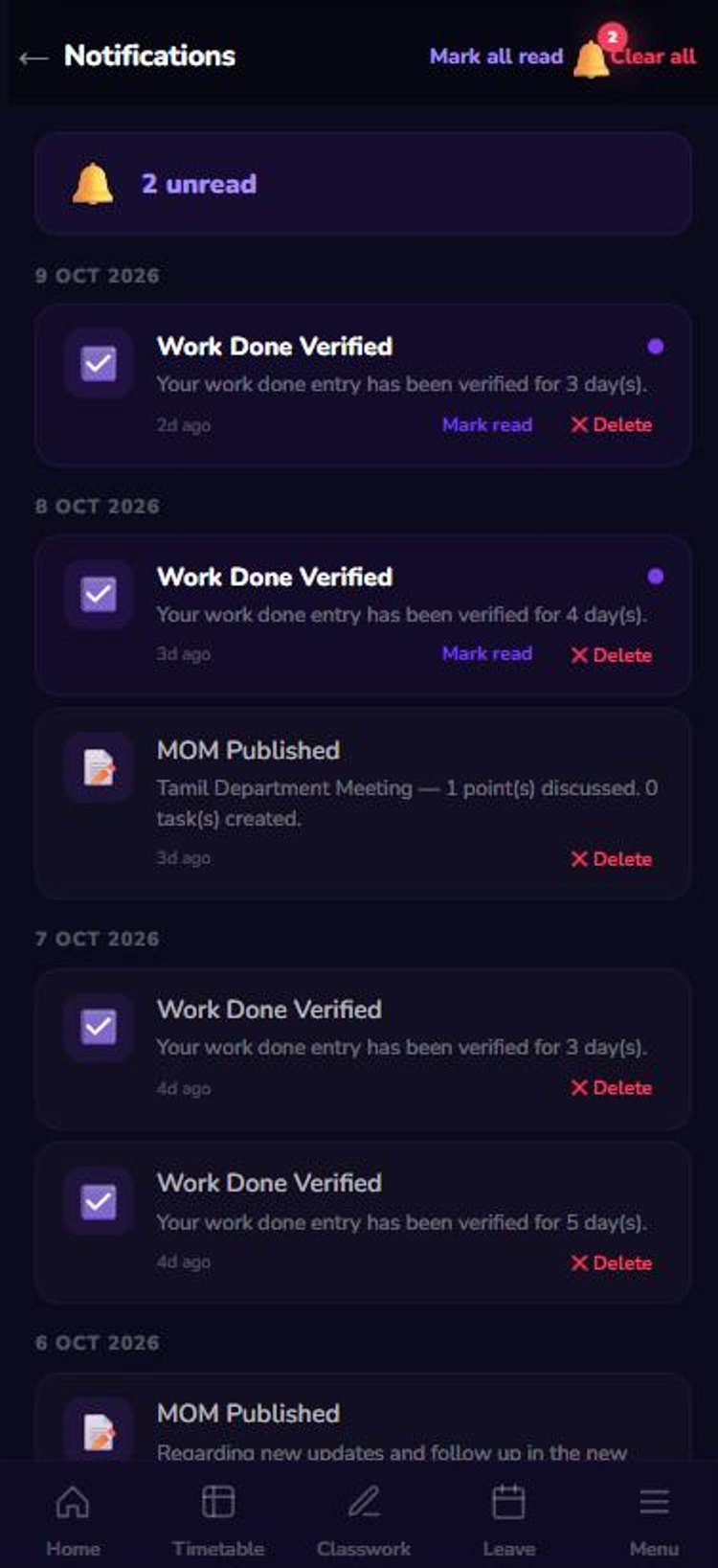
- Never miss newsAlerts when work is verified, leave approved or a MOM is published.
Timetable
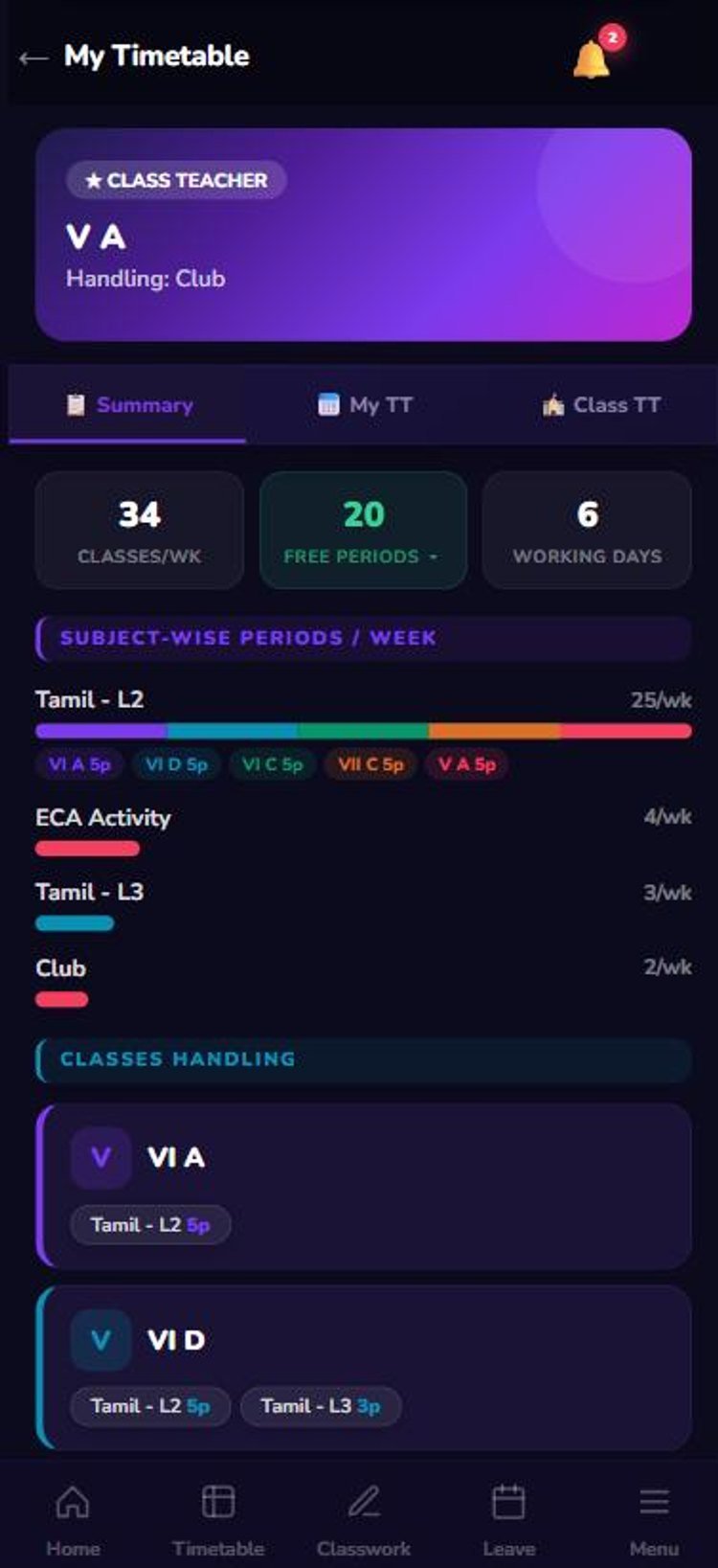
Timetable & my classes
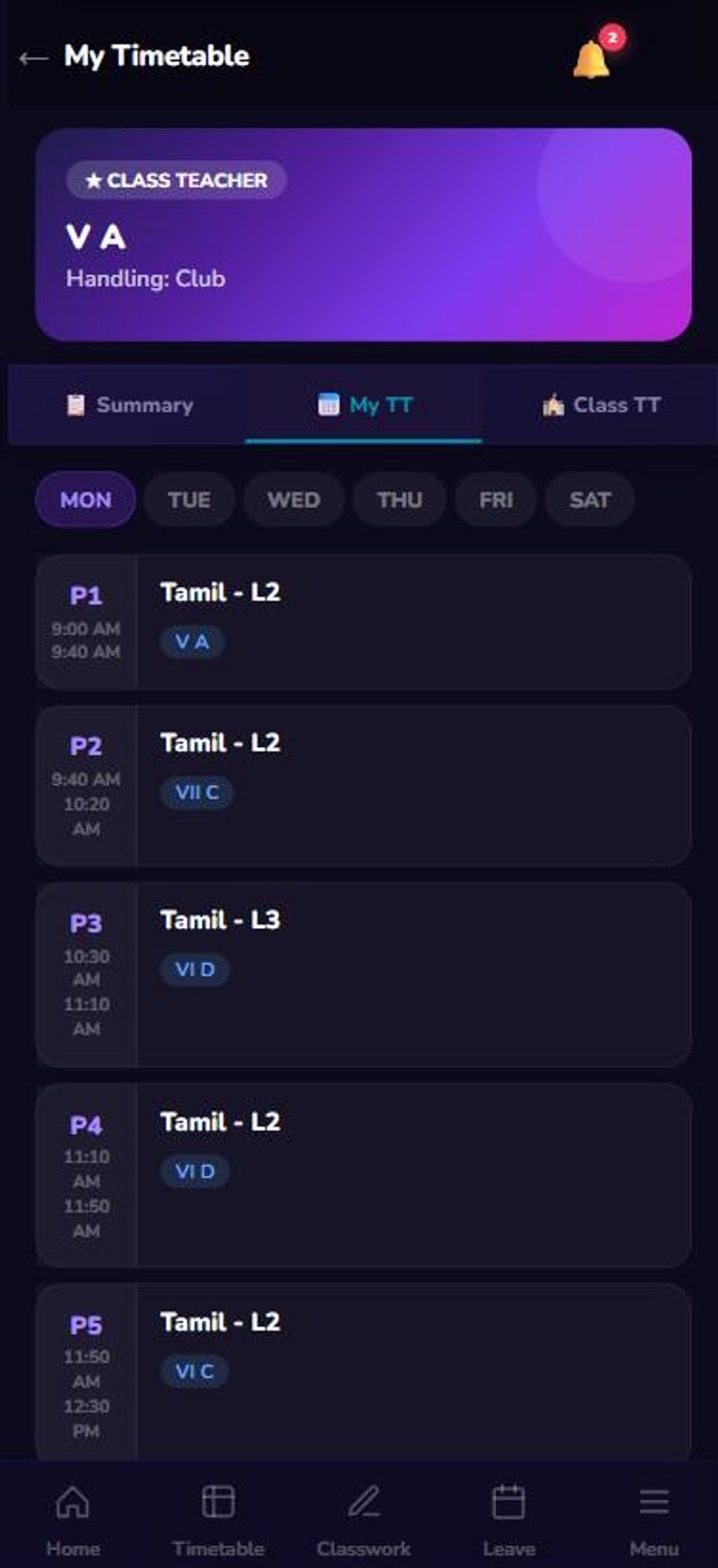
Know where to be, every period, every day.
- Day-wise periodsEvery period with class, subject and timing.
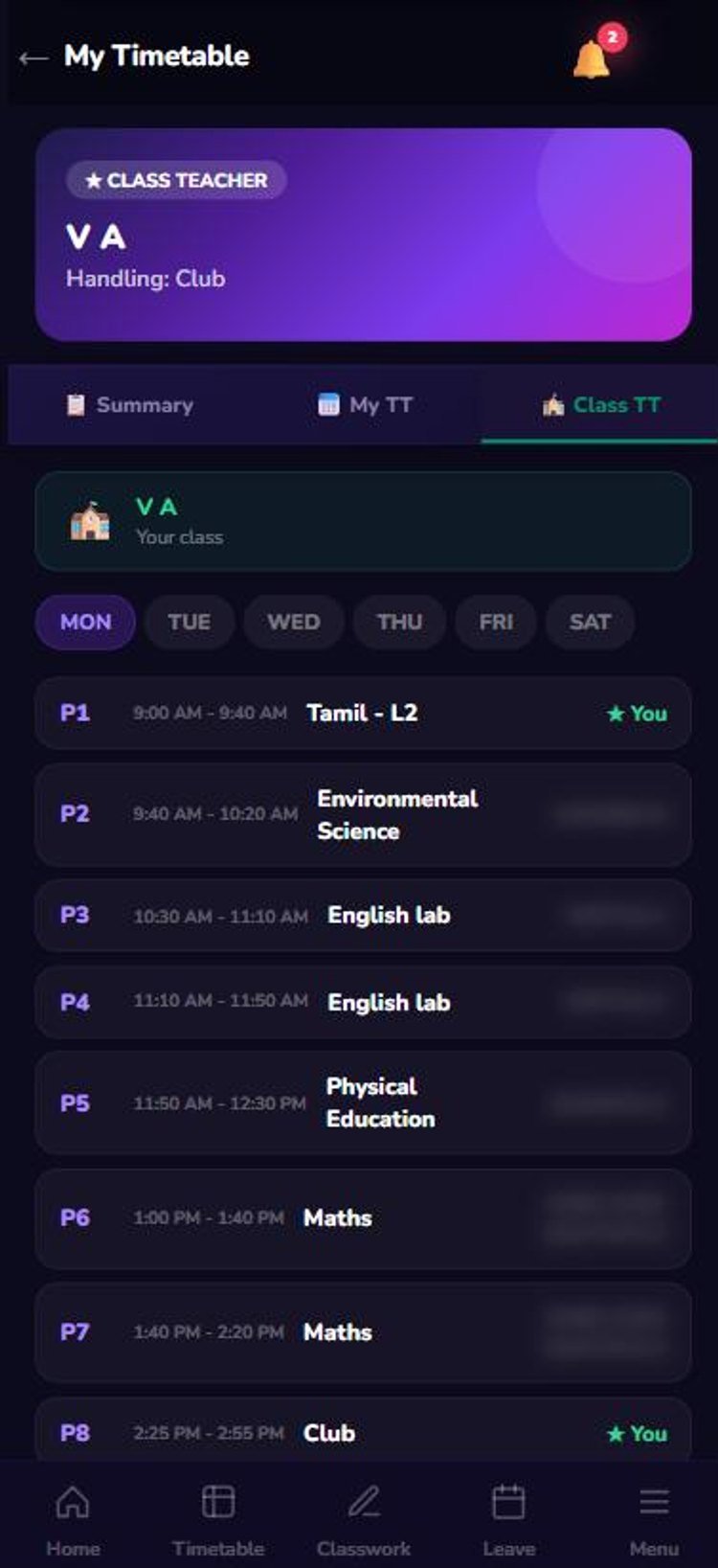
- Class teacher viewFull timetable of your own class, with who teaches what.
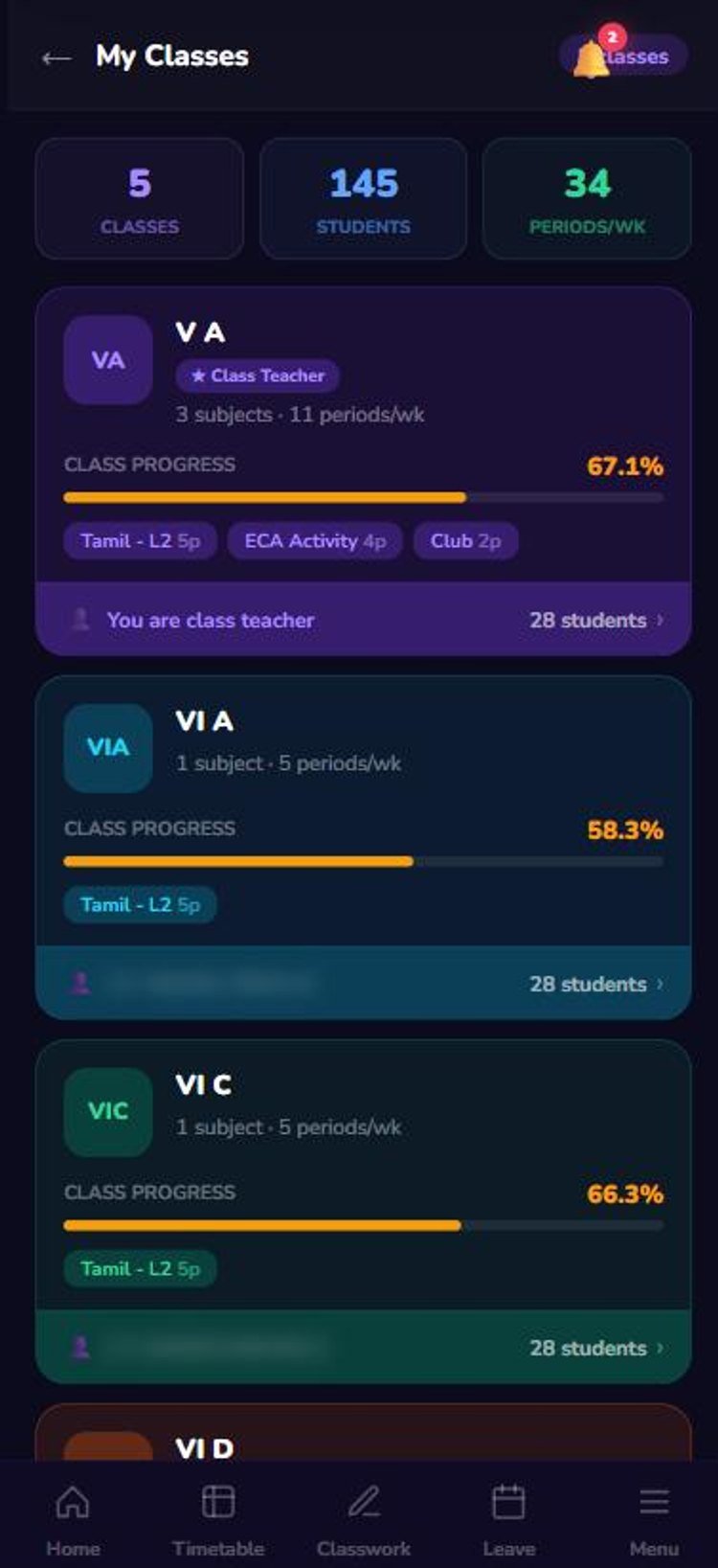
- Class progressStudents, periods per week and progress % for each class.
Classwork
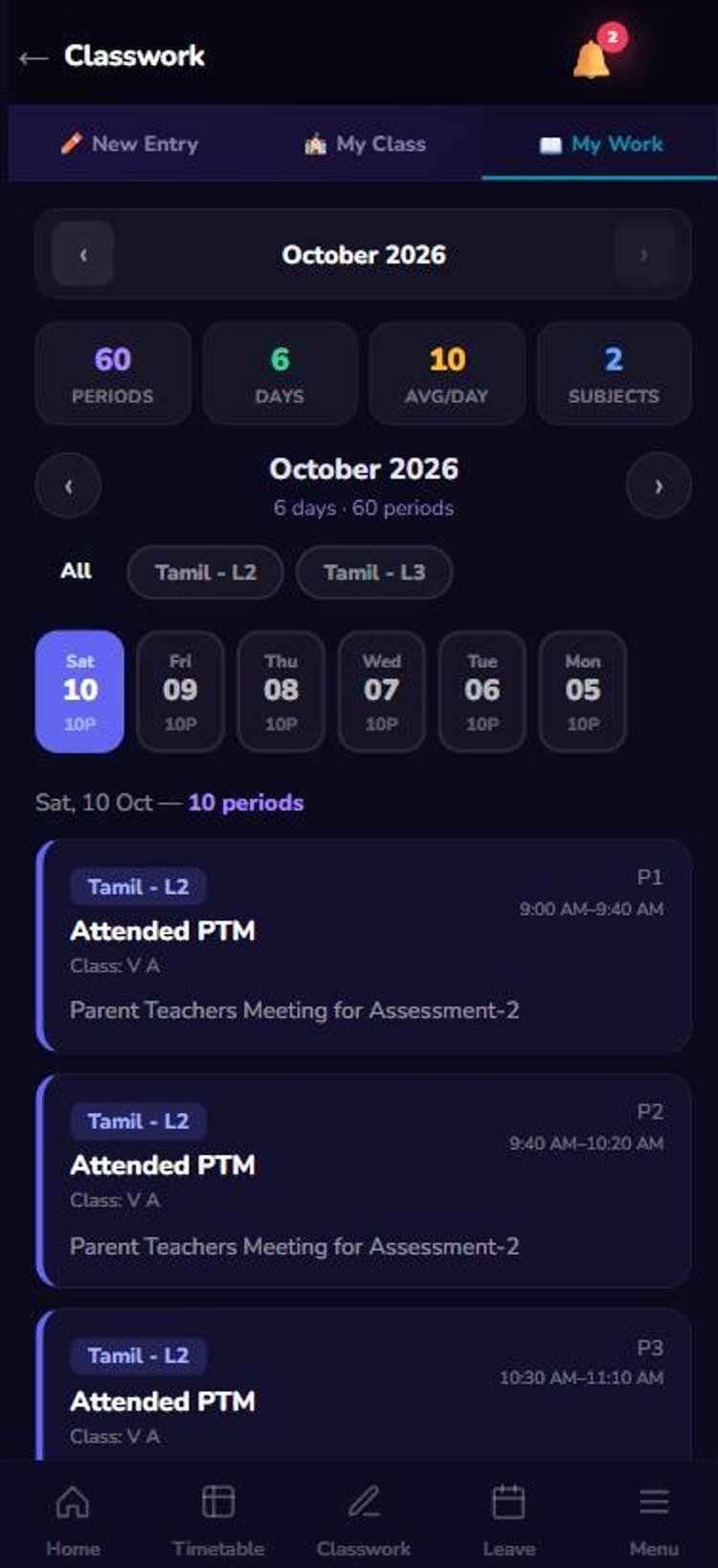
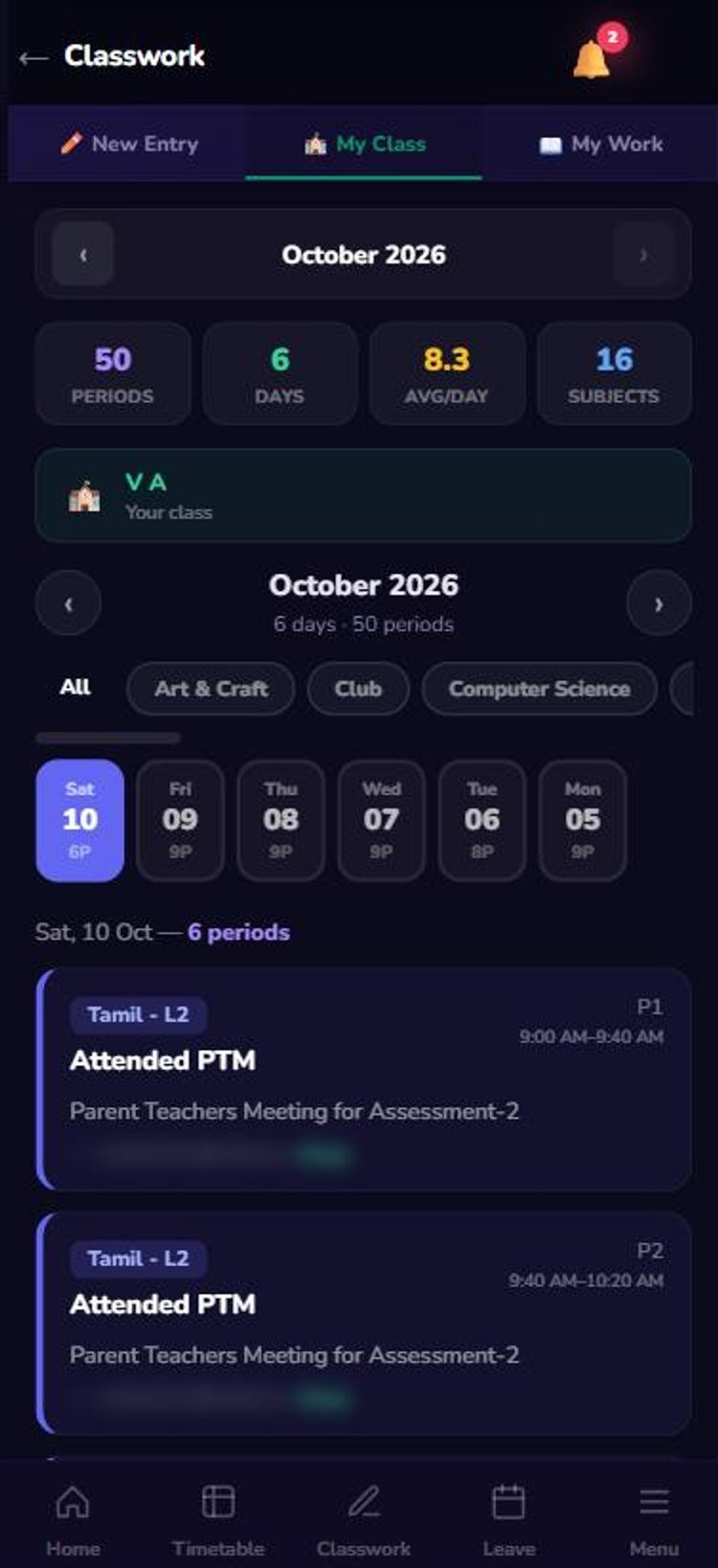
Classwork entry in seconds
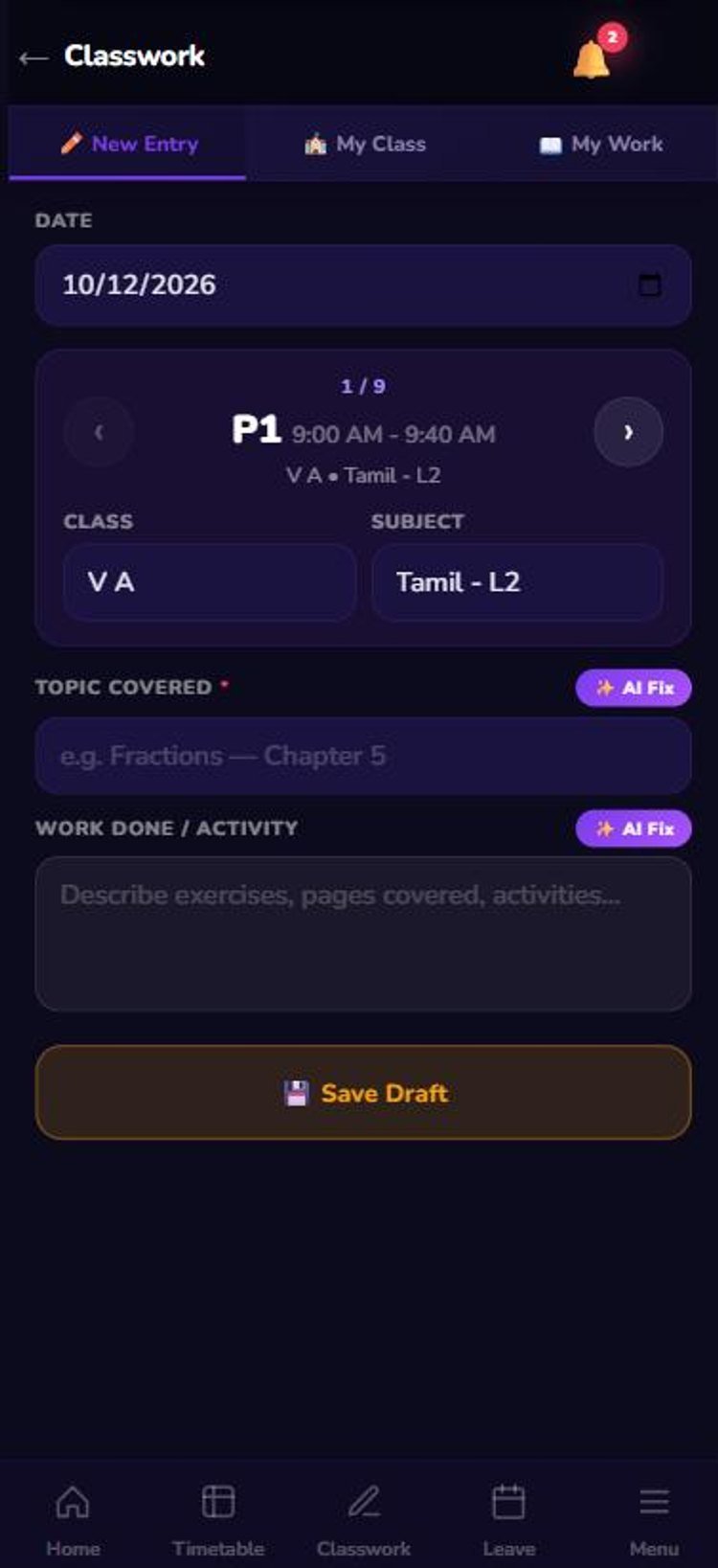
Record what you taught, period by period, from your phone.
- Period-wise entryClass and subject filled from the timetable automatically.
- AI FixOne tap to tidy up topic and activity text.
- Complete recordDay-wise log of your work and of everything taught in your class.
Homework
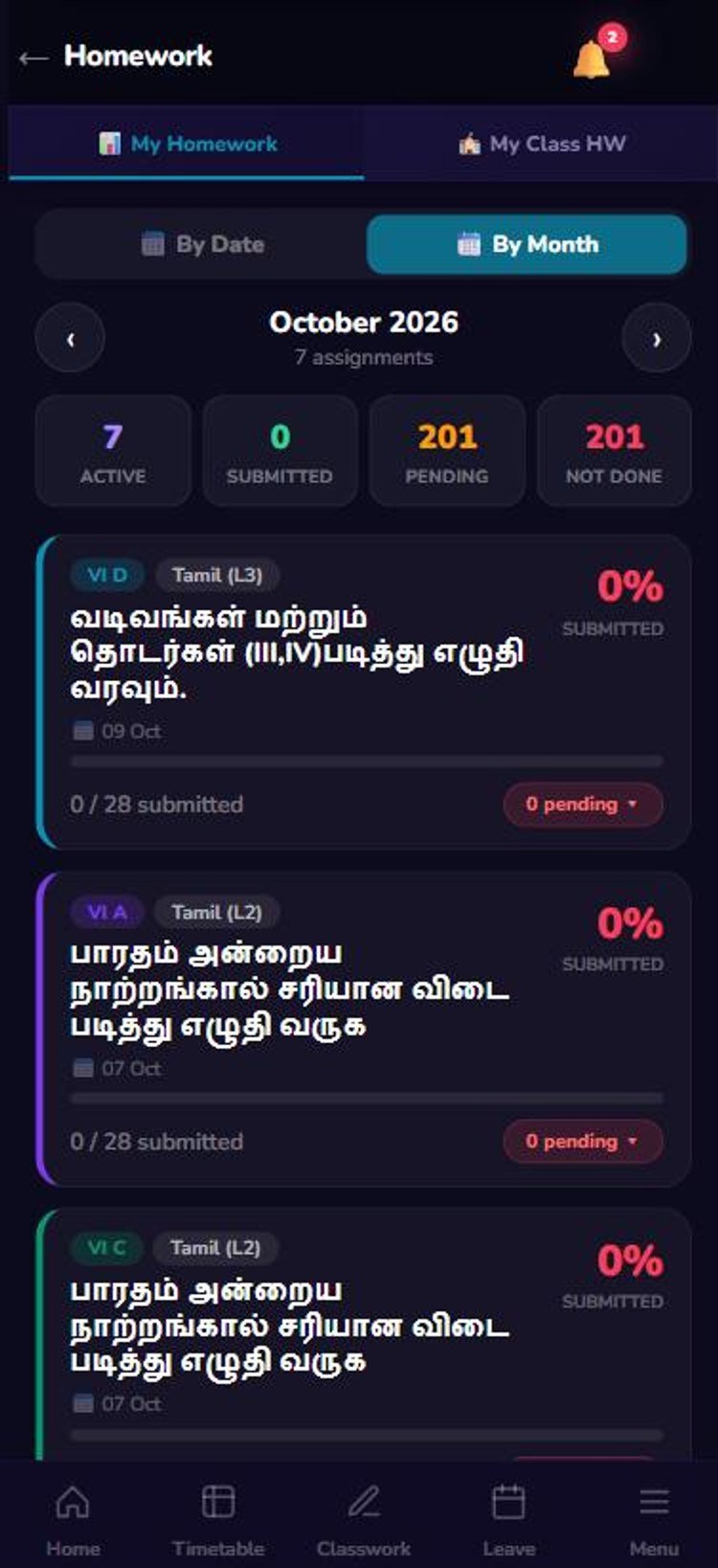
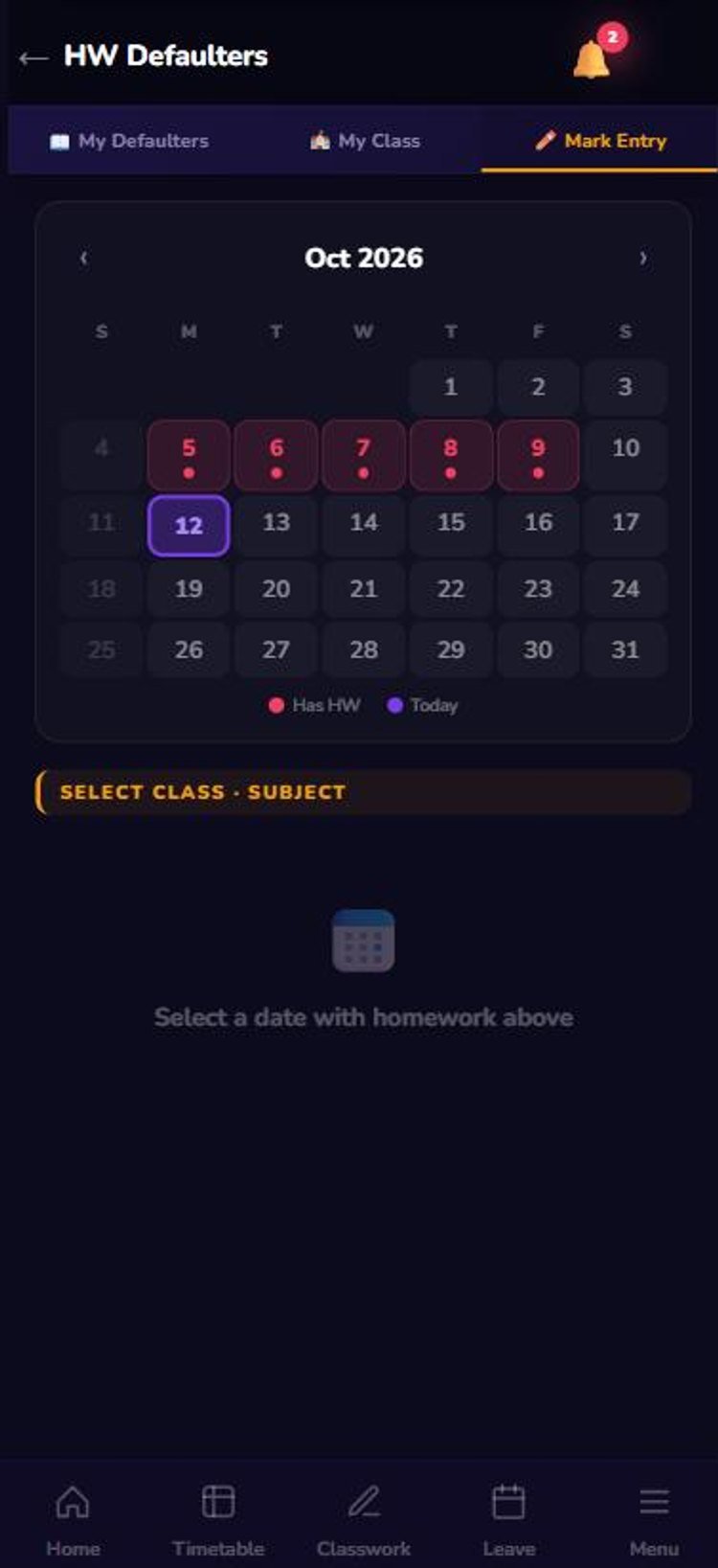
Homework & defaulters
Assign, track and follow up without a register.
- Submission statusActive, submitted, pending and not-done for each homework.
- Mark defaultersPick a date and class; mark students who did not submit.
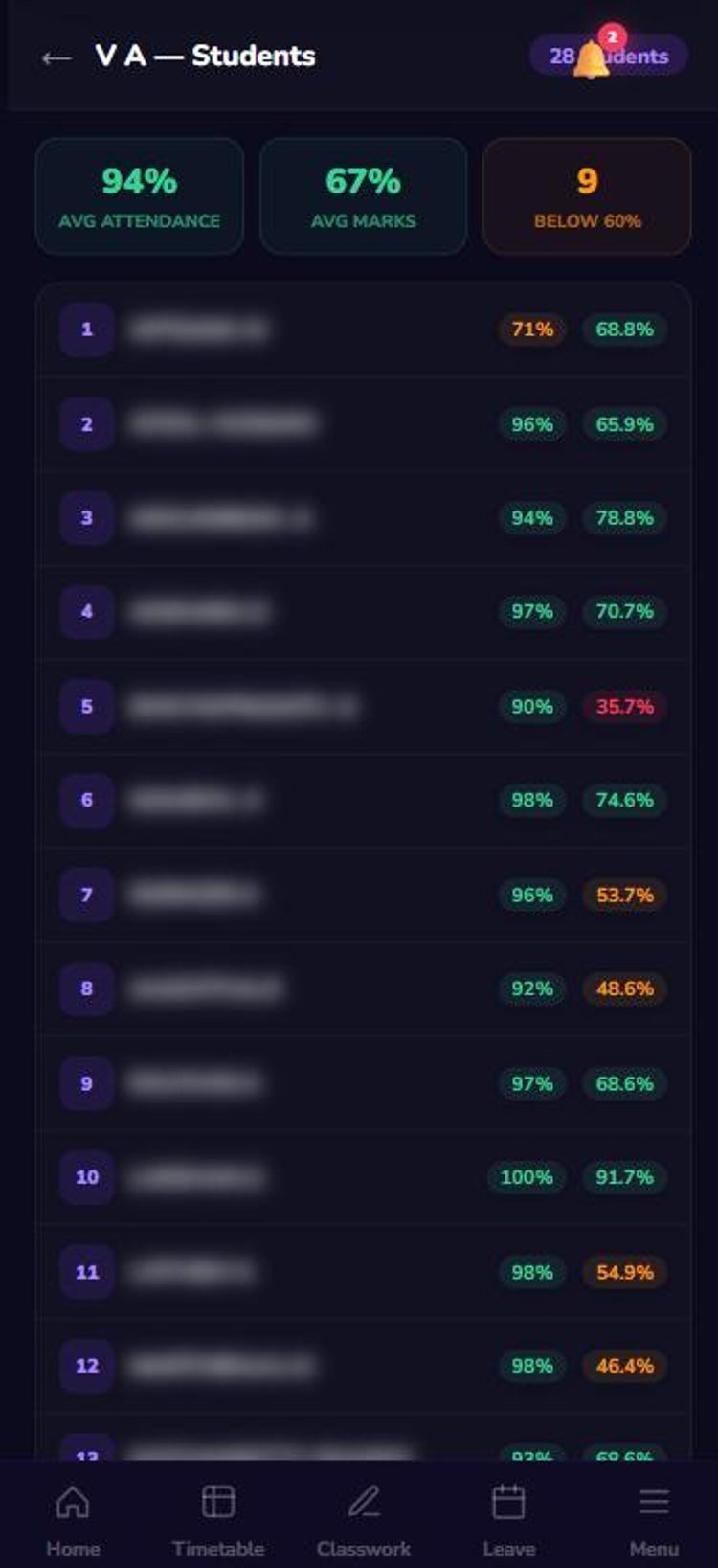
- Know every studentAttendance and marks % for each student in your class.
Results
Academic results, analysed
See how your class and your subject are performing.
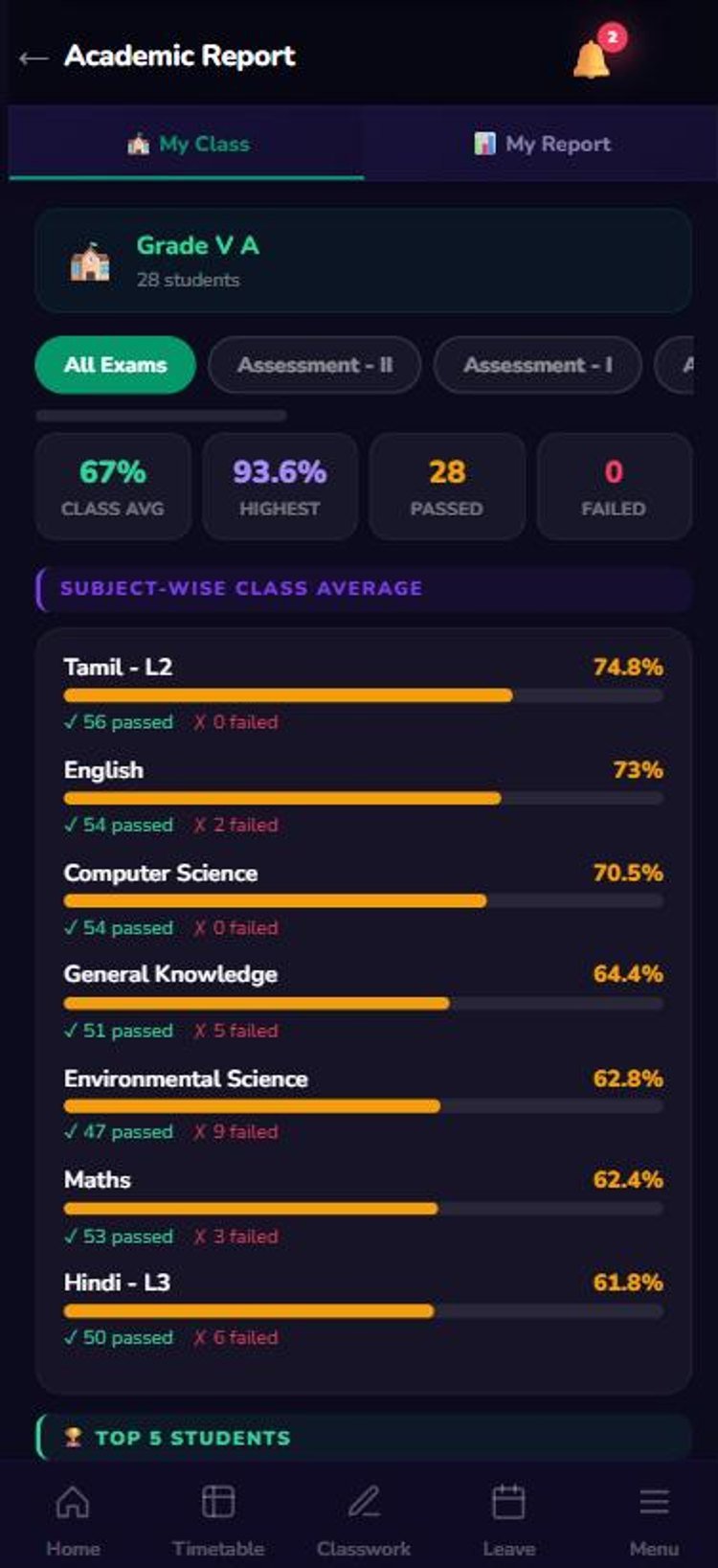
- Class reportClass average, highest, passed and subject-wise averages.
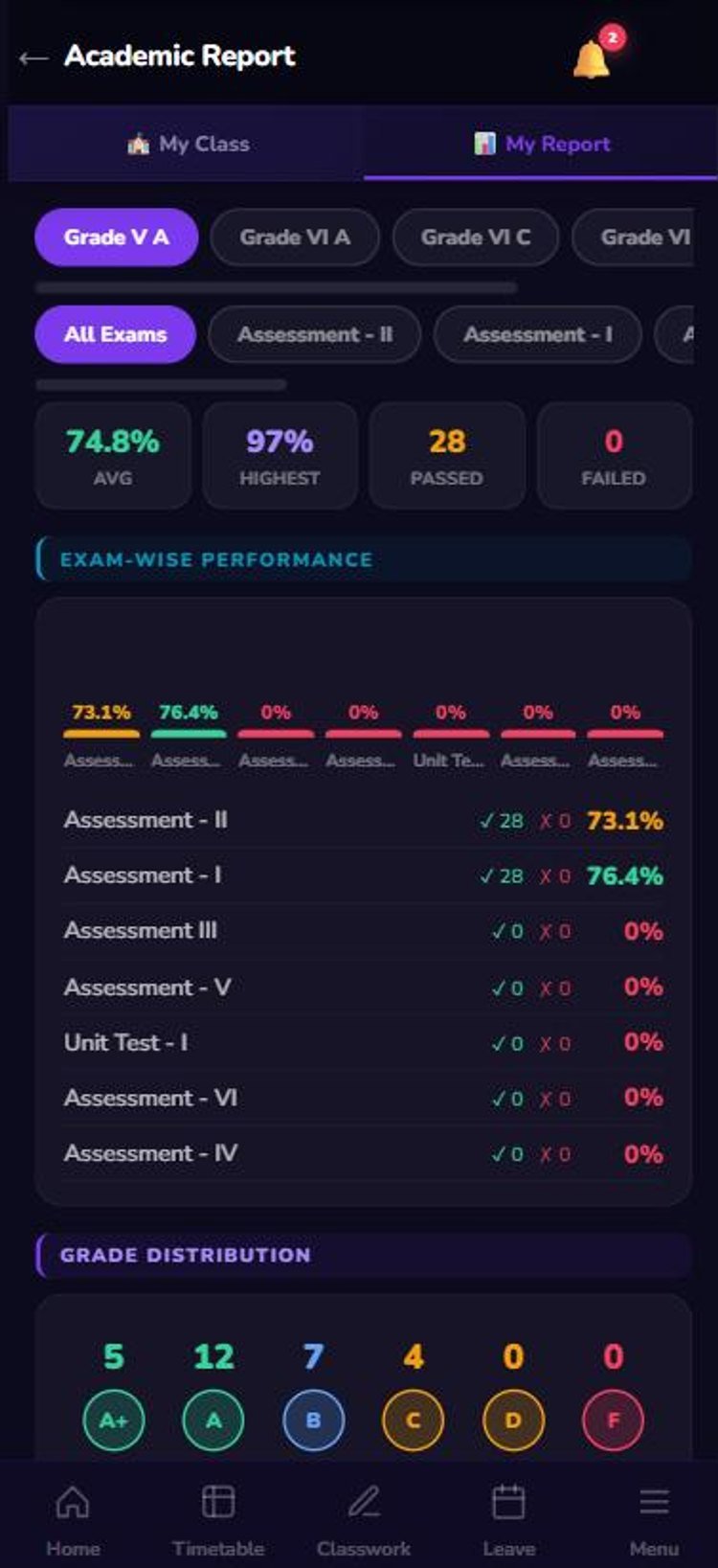
- My subject reportExam-wise performance and grade distribution.
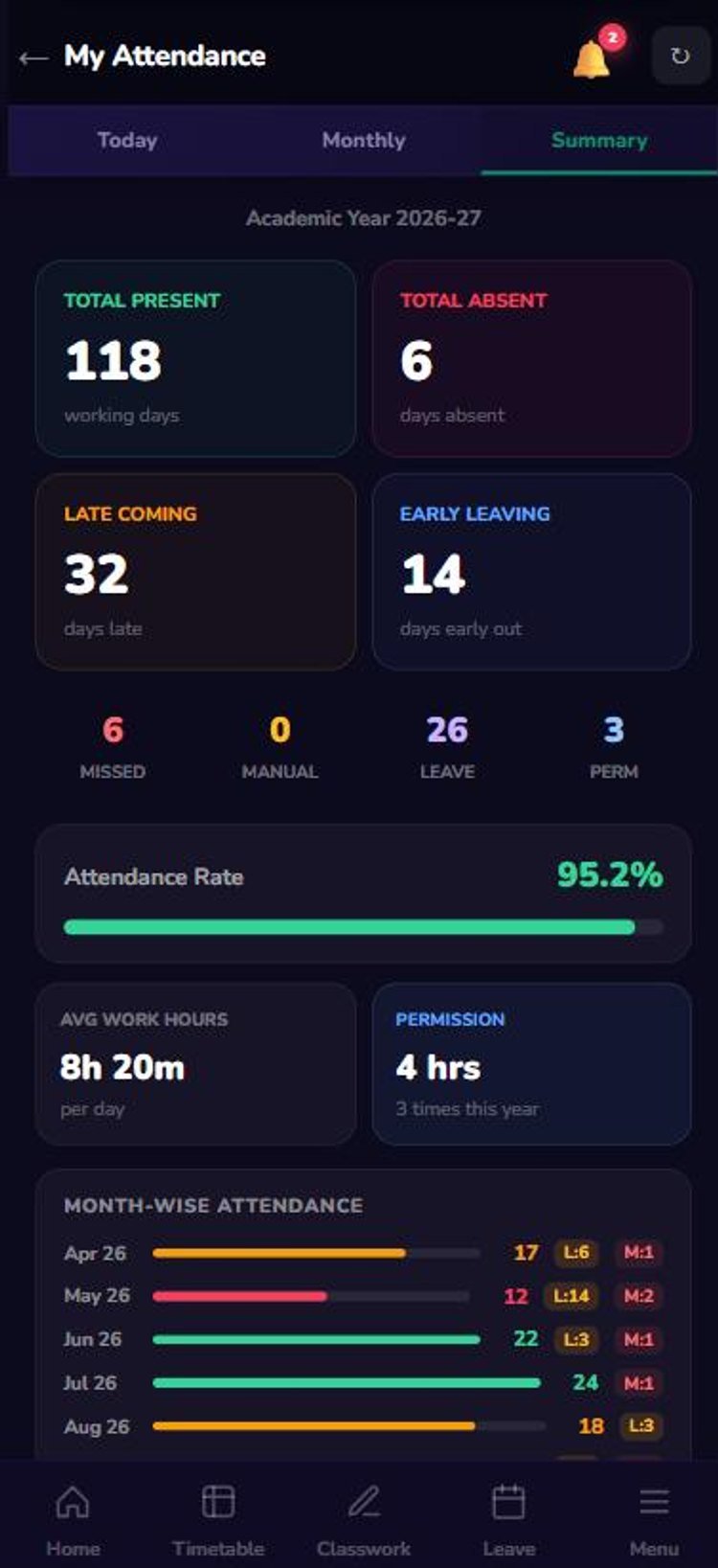
- My own recordAttendance rate, late days and work hours for the year.
Attendance & leave
Attendance & leave, self-service
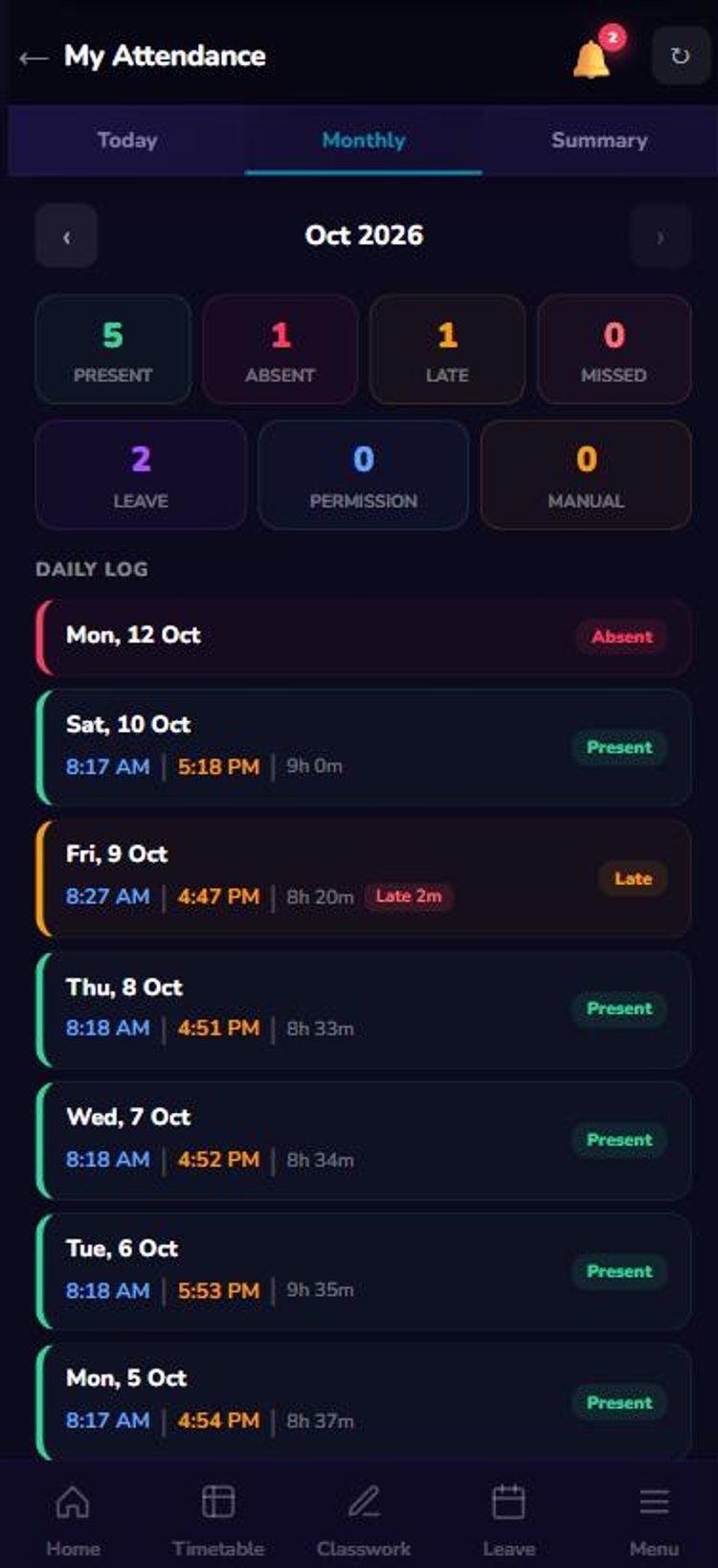
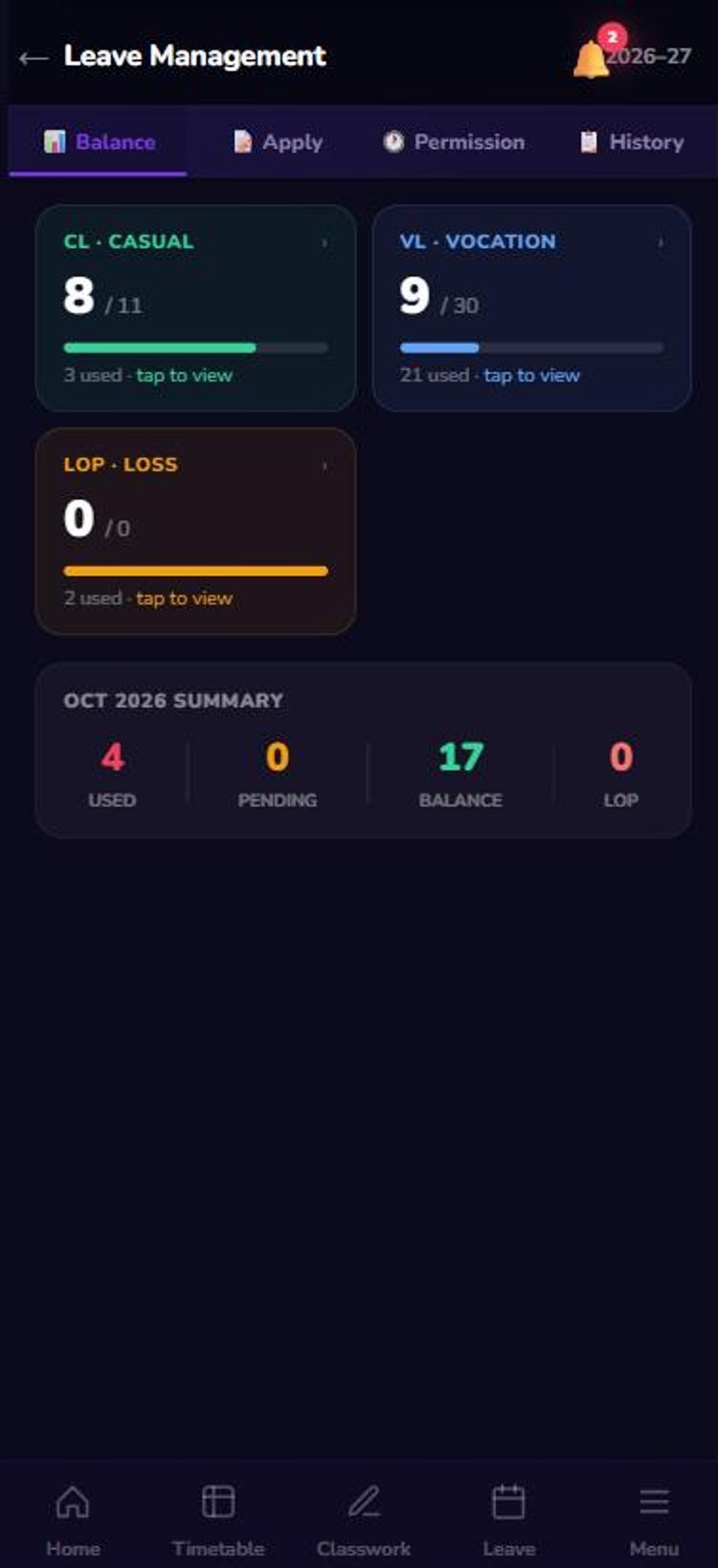
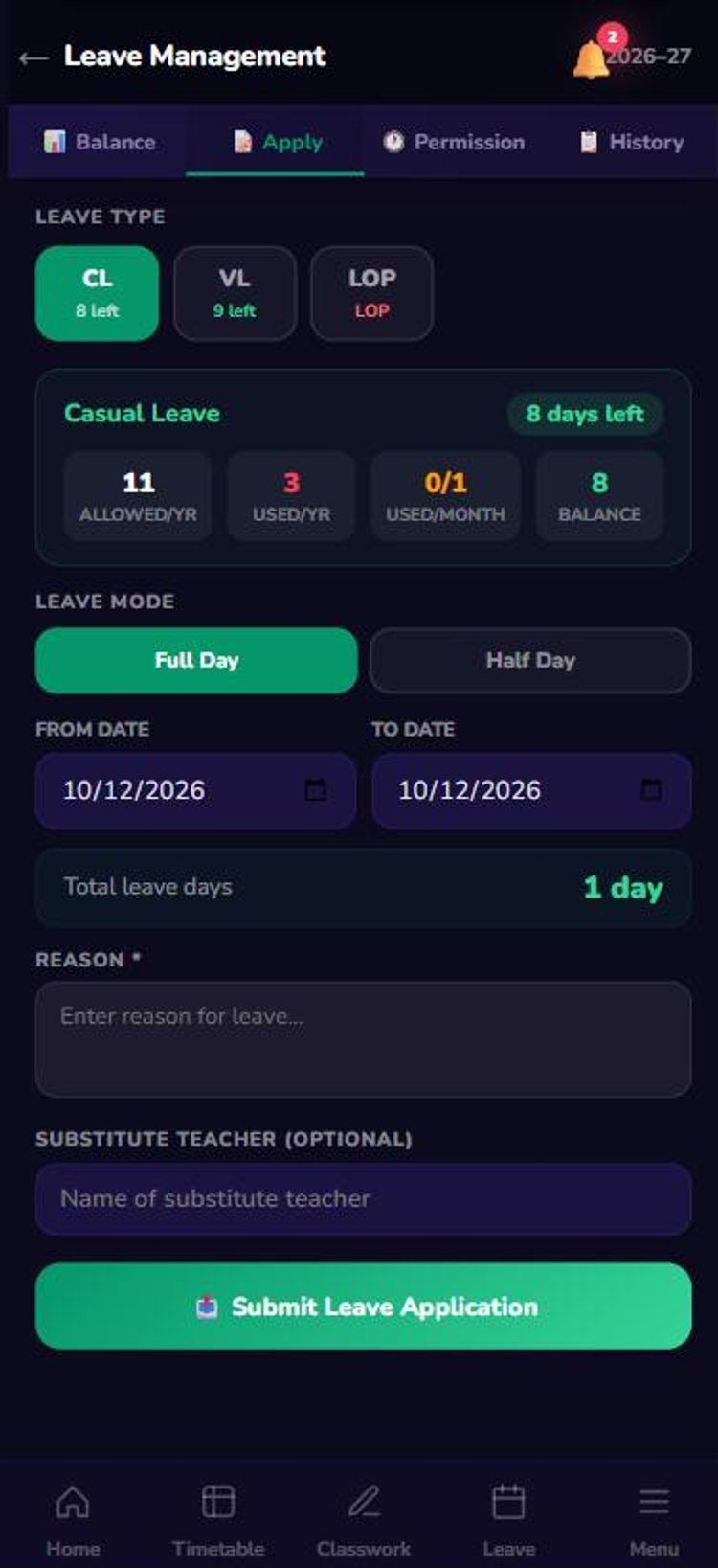
Check your punches and apply for leave in a minute.
- Biometric logDaily in/out time, work hours and late minutes.
- Leave balanceCL, VL and LOP balance, always up to date.
- Apply & trackLeave or permission in a few taps; see approval status instantly.
Tasks & meetings
Tasks, meetings & circulars
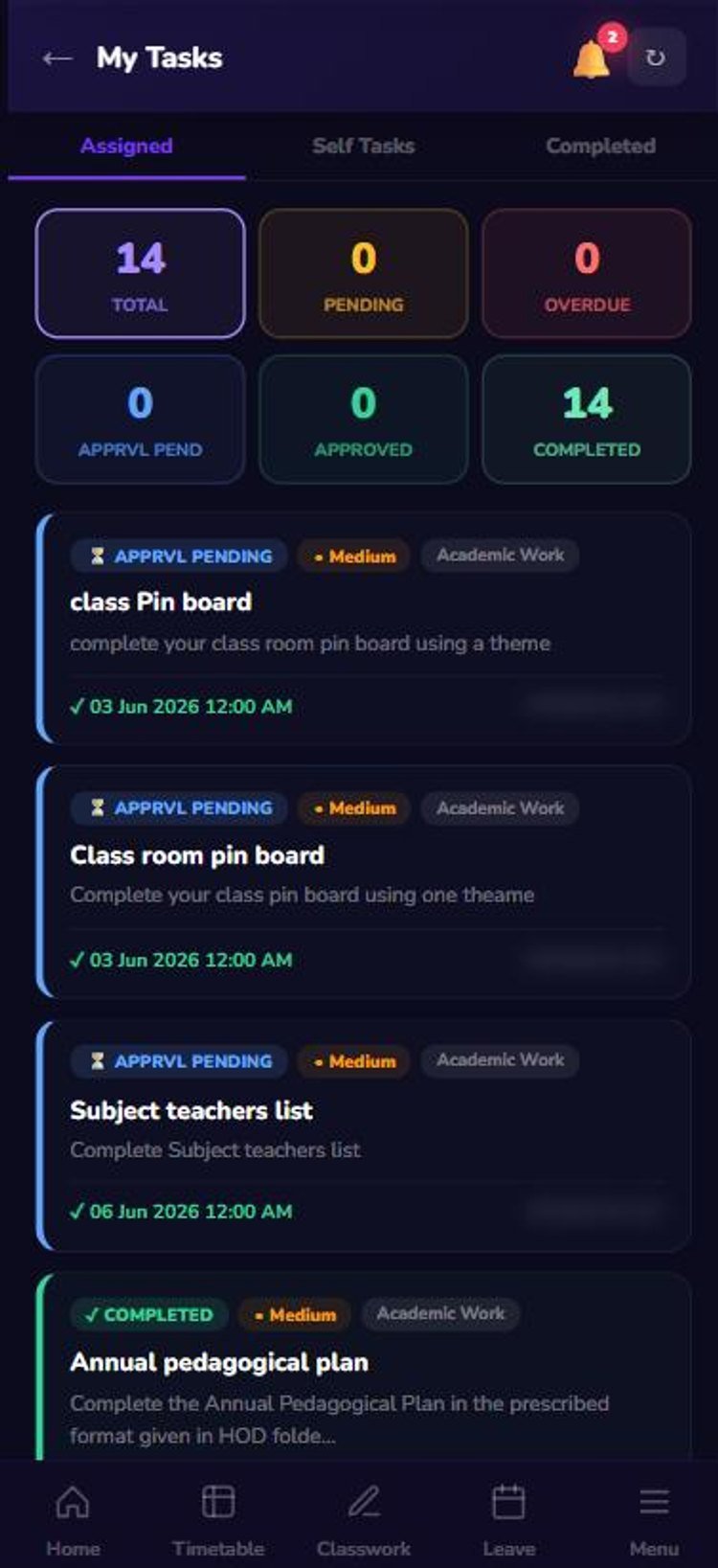
Everything assigned to you, in one place.
- TasksAssigned and self tasks with priority, due date and status.
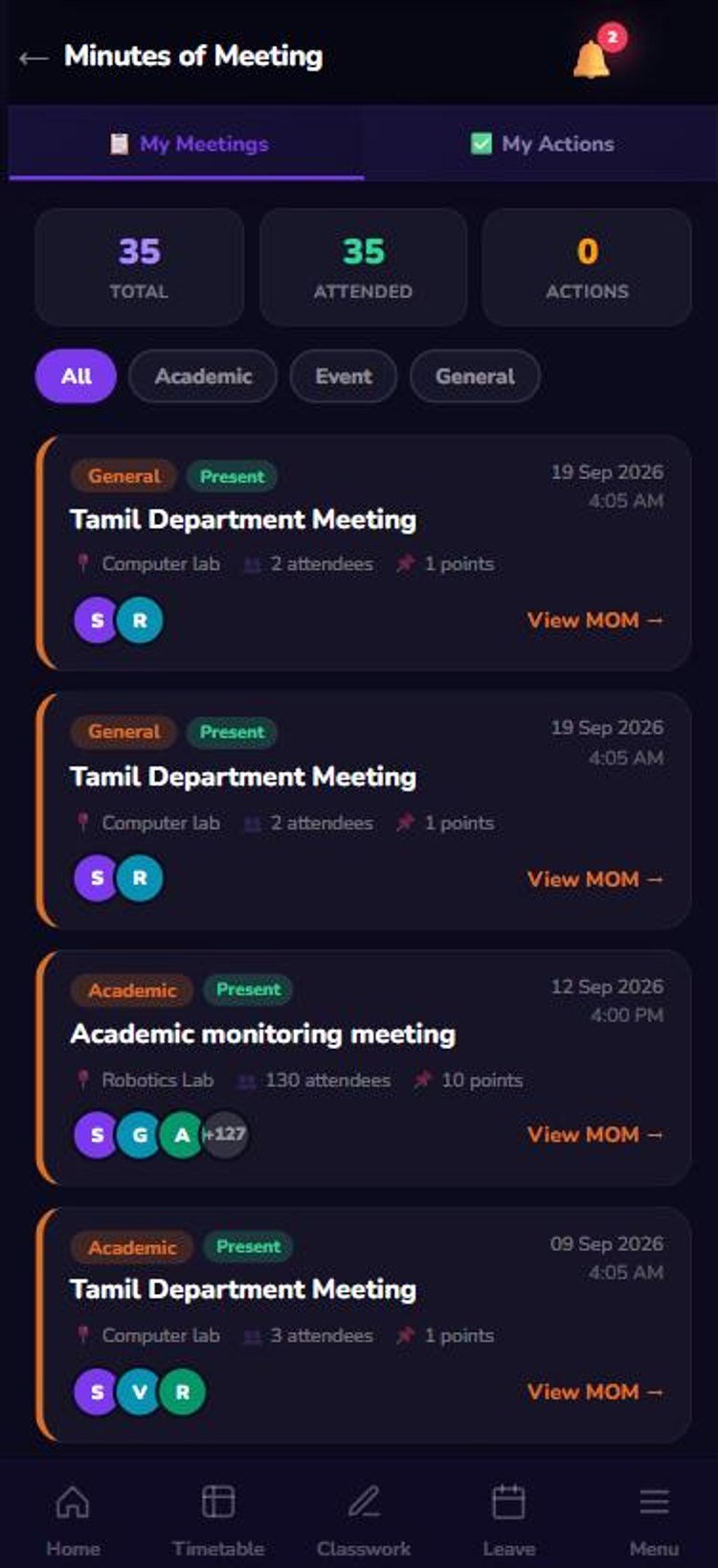
- MeetingsEvery meeting you attended, with points and action items.
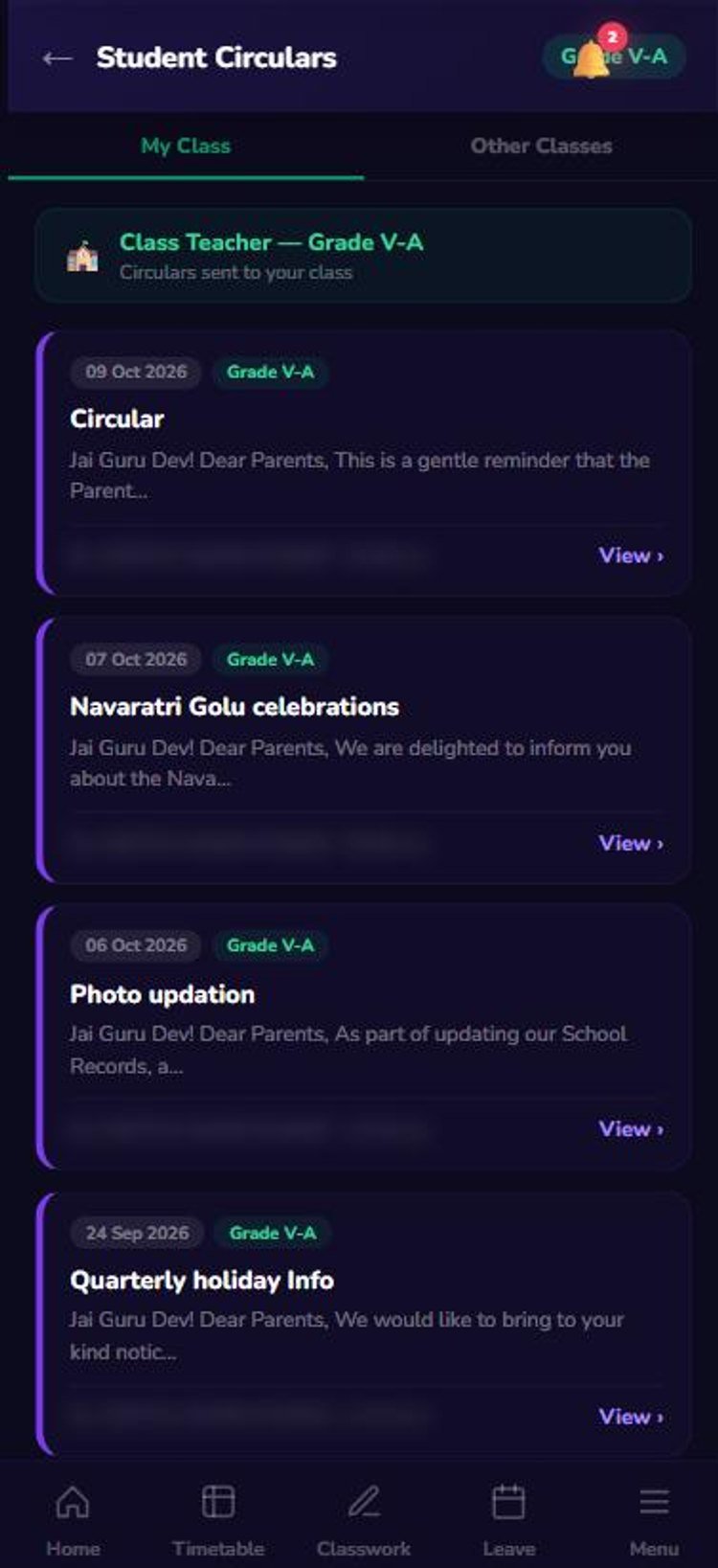
- CircularsStaff circulars and circulars sent to your class.
Growth
Training, roles & parent calls
Your effort is recorded and recognised.
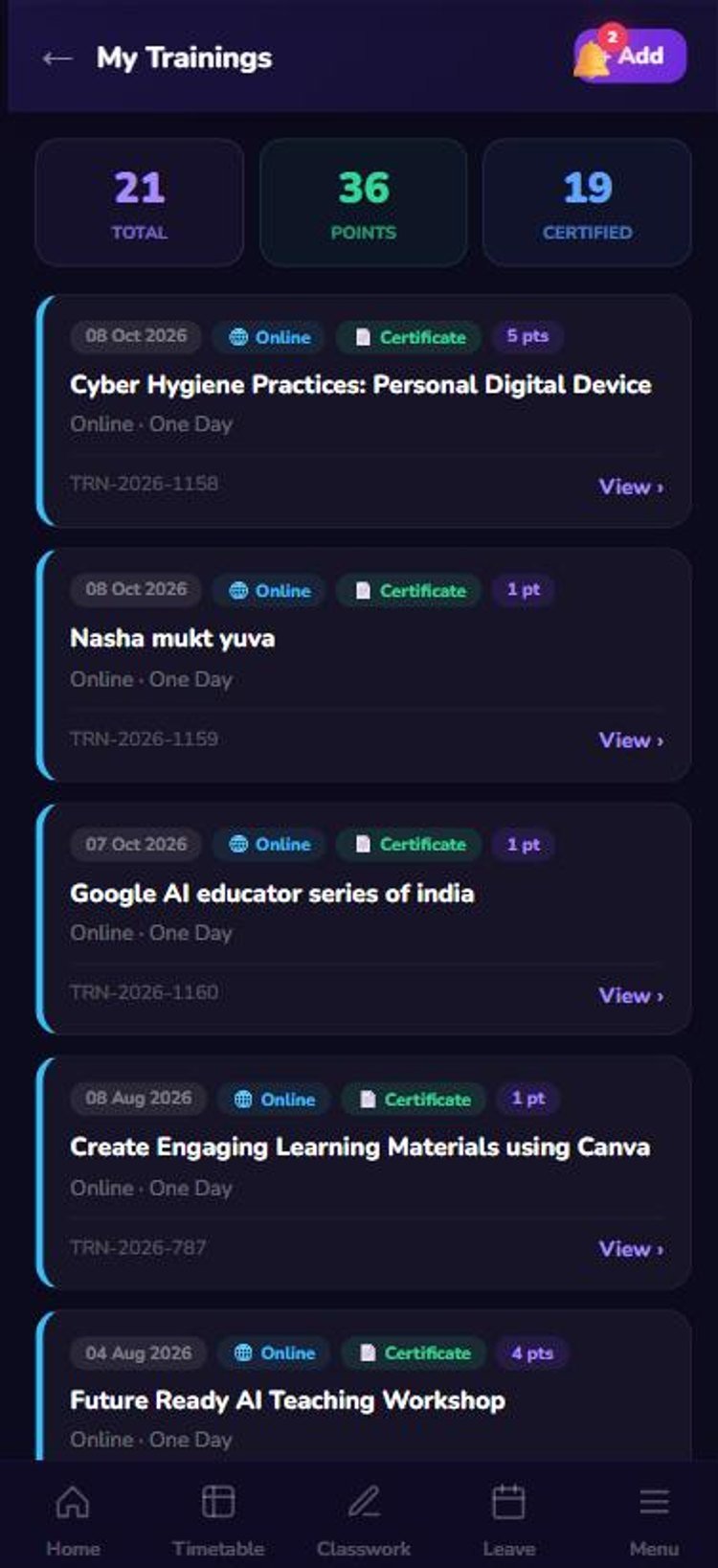
- Training pointsAdd trainings and certificates; points add up automatically.
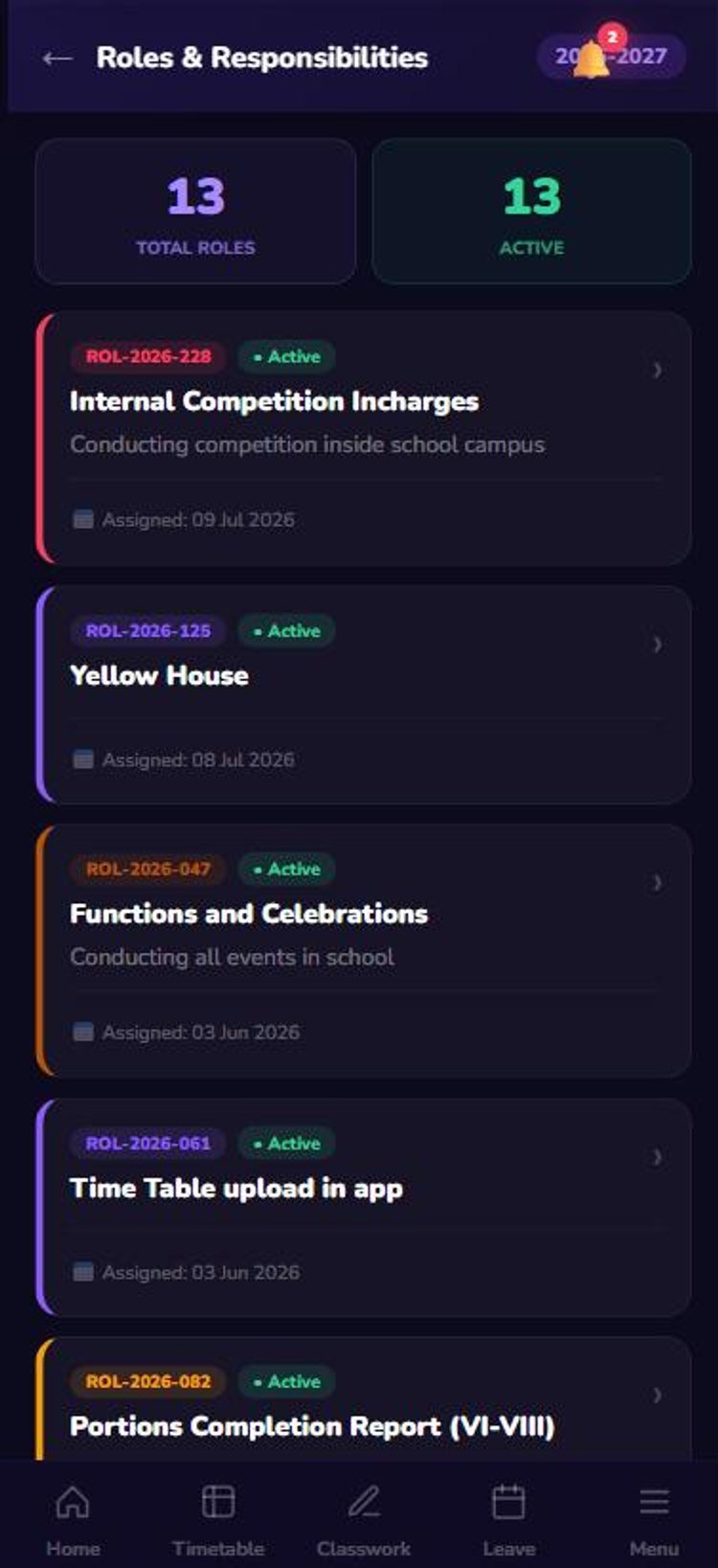
- Clear rolesEvery responsibility assigned to you, in one list.
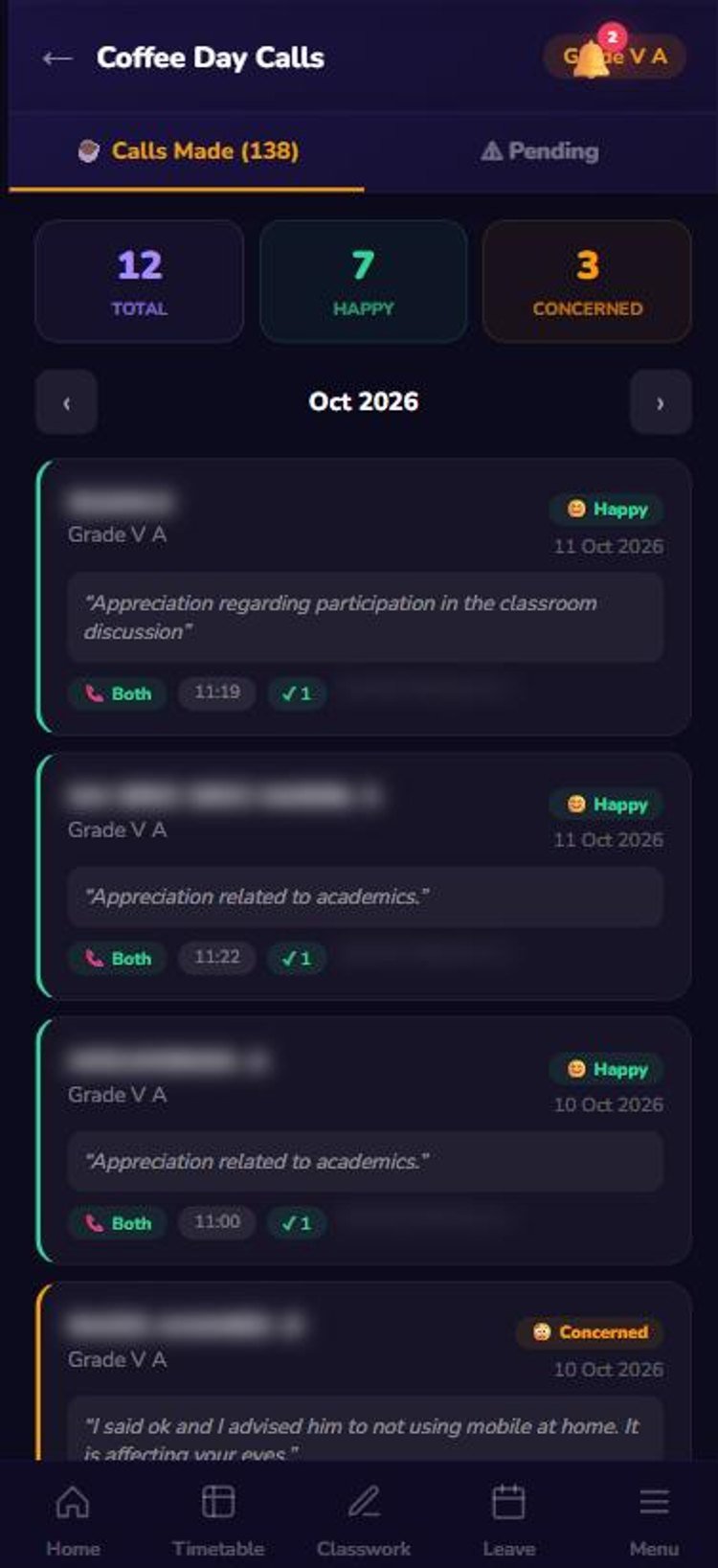
- Parent connectCoffee Day calls logged with parent feedback.
Your daily routine
Five minutes a day keeps every record complete
🌅 Morning
- Check the dashboard and alerts
- See today’s timetable and free periods
- Read new circulars
- Apply leave or permission if needed
🏫 During the day
- Enter classwork after each period
- Assign homework to the class
- Mark homework defaulters
- Make Coffee Day calls to parents
🌙 End of day
- Make sure all periods have classwork
- Update task status
- Add any training attended
- Check tomorrow’s timetable
Getting started
Get started today
Install
Open myschoolguru.in/teacherapp and add it to the home screen.
First login
Tap Setup with OTP, then set your own 6-digit PIN.
Allow alerts
Turn on notifications so you never miss a task or circular.
Need help?
Contact the school office or app admin.
Give your teachers their time back
See how classwork, homework and leave move from paper registers to the phone.